|
Out of Stock? We've received a lot of emails asking about out of stock items, and sad to say, but CI is downsizing to a much smaller product offering. All of our guides, schematics and blog entries will stay available forever. Our new project is VMeter--a USB MIDI Controller Touch Strip & Display. |
Here's a quick video of drag soldering--a technique that enables you to quickly solder entire sides of ICs by simply dragging the iron across all the pins. The key is starting with the right amount of solder, and adding generous flux. The results are often better and more uniform than individual pin soldering.
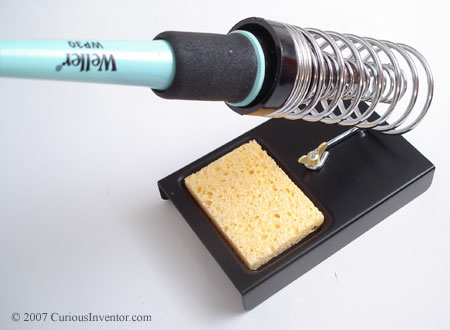
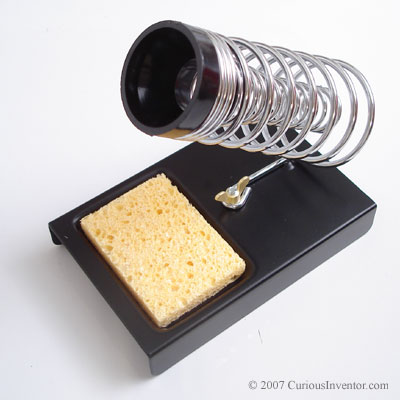
Read MoreA common mistake we've seen in our classes--as well as from experienced 'solderers'--is to clean the tip before putting the iron back in its stand. This habit leaves the tip exposed to oxygen in the air which works quickly to oxidize (basically rusting) the end of the tip. Almost all metals oxidize in air, and they do so much faster at higher temperatures. When your tip is thoroughly oxidized, it will look burnt, and no solder will stick to it. And if solder won't stick to it, you won't be able to create a "heat bridge" of solder between the iron and part, and very little heat will transfer.
To avoid this, coat the tip with a large blob of solder every time before returning it to its stand. While flux in the solder gradually eats away at the tip, oxidation will cause problems much faster.

You may notice that new tips actually come coated with solder. We've seen manufacturer documentation recommending that you hold solder against a new tip the first time you heat it up so that the tip gets coated as soon as it's hot enough to melt solder.
Cleaning tip: If your tip is starting to look brown, and won't 'hold' solder, or the solder acts like water on a freshly waxed car, you can help restore it by repeatedly applying solder and wiping it off. The flux in the solder acts like a cleaning against against the built up oxides. It may take 20 or more cycles of this to get the tip back into shape.
Read MoreThis video demonstrates how to solder a QFN or MLF chip without solder paste or stencils. While solder paste and a stencil will product the most consistent results, this demonstration only uses an iron, flux, hot air and regular solder to get the job done.
Future videos will demonstrate how to use a solder paste syringe, as well as the recommended method of using a stencil.
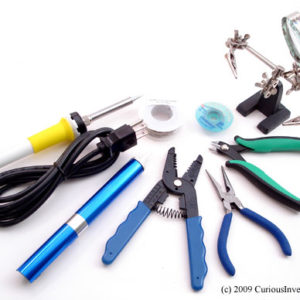
Equipment used in this video:

Why is it easy to find 4.7k resistors, but not 4.8k resistors? Where do common values like 1.2k, 2.7k, 560, and 820 come from and who decides them?
As you may know, resistors come in different tolerances, as indicated by the 4th band (gold = 5%, silver = 10%). A 100 ohm resistor with a 10% tolerance is expected to have a value somewhere between 90 and 110 ohms, so it wouldn't make much sense to buy a 101 Ohm resistor when it's actual value could be less than a 95 Ohm, 10% resistor.
The Electronic Industries Association (EIA) is the primary body that standardizes the values for resistors, and they publish value lists called "E" series. In the 10% series, known as E12, each value is spaced so that there won't be overlap. The min and max values are listed:
| (min) | value | (max) |
|---|---|---|
| (90) | 100 | (110) |
| (108) | 120 | (132) |
| (135) | 150 | (165) |
| (162) | 180 | (198) |
| (198) | 220 | (242) |
| (243) | 270 | (297) |
Read More